Table of Contents
Entity definition
Toolbar
None.
General
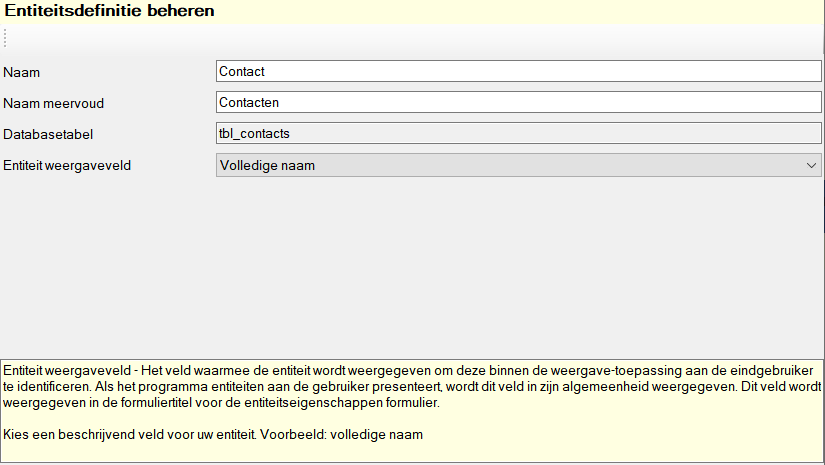
Within the entity definition you specify the general properties of the entity you are keeping in your database.
Manage entity definition
Settings
Name
The Name displays the name of the entity you are saving. The view application uses this name to denote the entity/object that you store in your database. As an example, when you store contacts in your database, the entity has Contact. Or when you store cars in your database, the name will be Car will be.
This Name appears frequently in the display application, for example in the title bar of the entity properties window.

Name plural
The Name plural is identical to the property Name, however, this value is used in case the plural of the entity is meant.
Database table
The Database table field contains the internal name of the database table in which the entity data is stored. This field is read-only, the value of is determined when creating the database, and cannot be changed. This table name is not reflected in the view application.
Entity view field
Via the entity view field you determine which entity field is used as the main designation. This means that in all places in the view application where the programme will indicate entities, this field will be used. Therefore, choose a field that clearly indicates the entity, in the case of an address book this can be the Full name of the contact.
As an example, in the title bar of the entity properties window, the entity view field is displayed to give the window a clear name.
Hotkeys
Window wide
See main window.
Component specific
None.


